SSL
Encrypt connections with SSL/TLS and verify server certificates.
SSL certificates
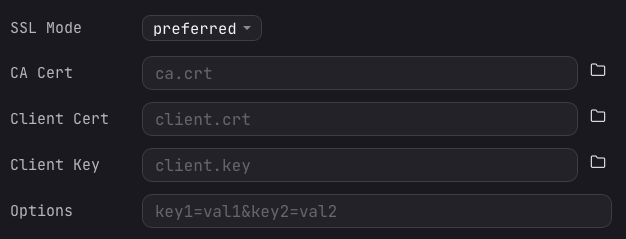
SSL/TLS encrypts the connection between Arris and the database server, preventing eavesdropping and man-in-the-middle attacks. Set the SSL Mode field in the connection form to choose how strictly the server certificate is checked.
Arris offers five SSL modes:
- Disabled: no TLS. The connection runs in plaintext.
- Preferred: encrypt when the server supports it, otherwise fall back to plaintext (the default).
- Required: encrypt, but do not verify the server certificate.
- Verify CA: encrypt and verify the server certificate chain against your CA.
- Verify Identity: encrypt and verify both the certificate chain and the server hostname.
The verify modes (and mutual TLS) read certificate files from disk:
- CA certificate (
ca.crt): the certificate authority that signed the server's certificate. Required for "Verify CA" and "Verify Identity". - Client certificate (
client.crt): your client certificate, used when the server requires mutual TLS (mTLS). - Client key (
client.key): the private key for your client certificate.
Provide these as file paths or use the browse button to select them. Arris reads the files at connection time and does not copy them elsewhere.